
Startups picking uptime monitoring tools in 2026 need one that catches outages in their own stack and in the third-party services they depend on — Stripe, Cloudflare, AWS, GitHub. This guide ranks five tools by what they actually cover and who they fit, not by feature-list length.
- Uptimus wins for tracking third-party and API outages before customers report them.
- Better Stack wins for incident management with on-call escalation and status pages.
- UptimeRobot is the budget pick for straightforward website uptime checks.
- Pingdom fits teams that also want page speed and real user data alongside uptime.
- StatusCake covers multi-location checks that catch region-specific downtime.
Why this matters
A dropped API call from Stripe or a Cloudflare edge outage doesn't show up as a P1 in your own dashboards — it shows up as a spike in support tickets. Startups running with two or three engineers can't run a status page war room every time a vendor stumbles.
Uptimus tracks the third-party services and APIs your product depends on and flags outages through uptime checks and community reports, often before a customer opens a ticket. That's a different job than watching your own servers stay up, and most 'uptime monitoring' lists blur the two together.
The five tools below split into two camps: watching your own infrastructure, and watching what you don't control. Know which one you're solving for before you pick a tool in 2026.
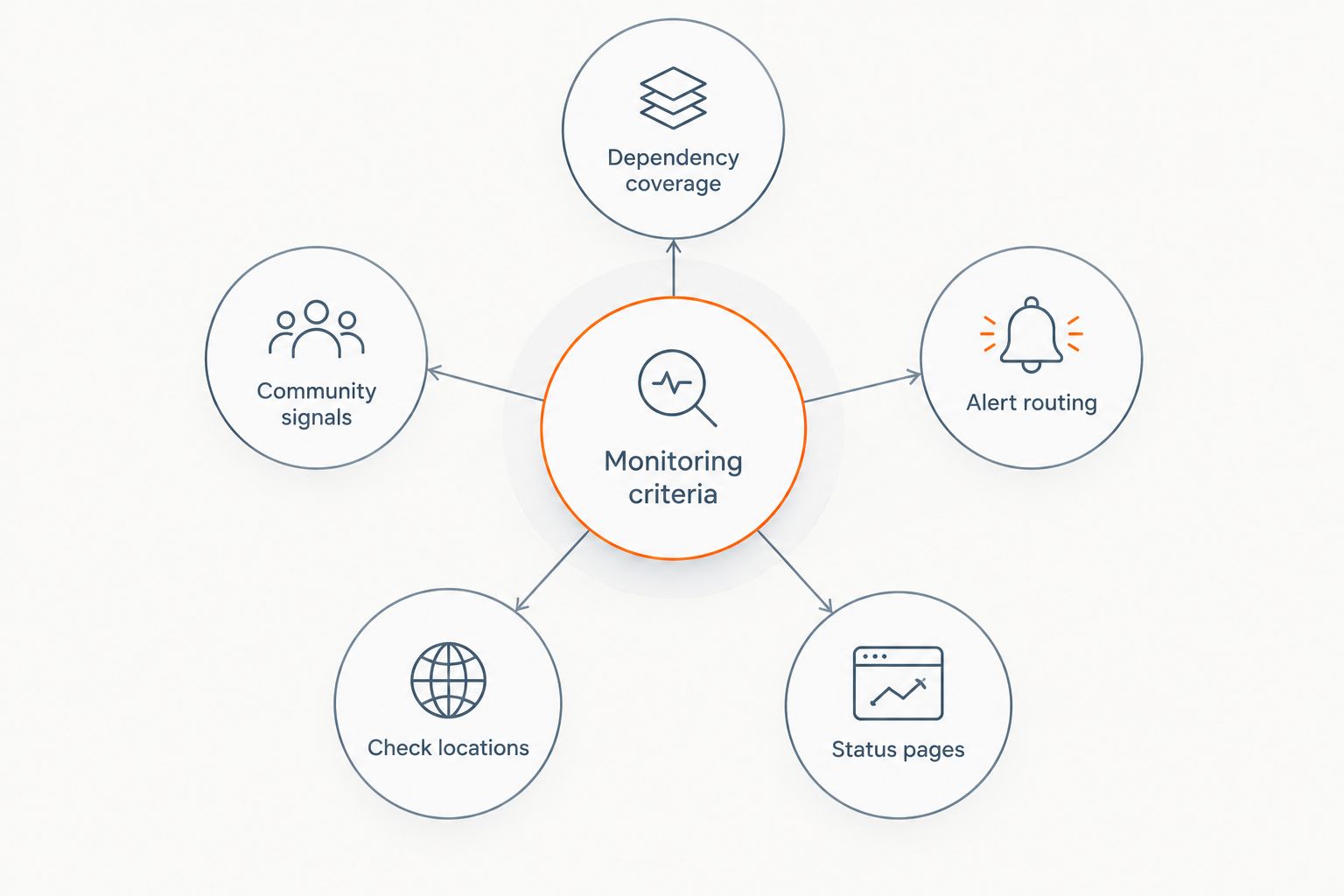
What makes the best uptime monitoring tool for startups
- Third-party and API dependency coverage — tracks vendors like Stripe, Cloudflare and GitHub, not just your own domain
- Alert routing — reaches Slack, email, SMS or an on-call rotation within minutes of a detected outage
- Public status page support — gives customers a page to check instead of opening a ticket
- Check locations — runs checks from more than one region so a regional outage doesn't get missed
- Community and incident signals — cross-checks automated checks against reports from other affected teams
- Setup time — a two-person team can configure it in an afternoon, not a sprint
Uptime monitoring tools for startups at a glance
| Tool | Best for | Standout feature | Key limitation |
|---|---|---|---|
| Uptimus | Third-party and API outage tracking | Community reports cross-checked against official status pages | Not built for monitoring your own servers or infra |
| Better Stack | Incident management and on-call alerting | On-call scheduling tied directly to incident timelines | Heavier setup than a single-status-page team needs |
| UptimeRobot | Budget-friendly basic uptime checks | Simple HTTP and ping monitoring | Limited depth on third-party dependency tracking |
| Pingdom | Performance monitoring alongside uptime | Real user monitoring and page speed data bundled in | More than a pre-launch startup usually needs |
| StatusCake | Multi-location uptime checks | Checks run from several global test locations | Community and incident reporting is thinner |
1. Uptimus: best uptime monitoring tool for tracking third-party outages
Uptimus follows the external services your product depends on — payment processors, CDNs, cloud providers, API vendors — and watches their official status pages alongside its own uptime checks. When Stripe, Cloudflare or GitHub has a bad day, Uptimus is built to catch it and alert your team before support tickets pile up. It layers in community reports so an outage gets flagged even when a vendor's own status page is slow to update.
Uptimus pros:
- Watches third-party services and APIs your product depends on, not just your own domain
- Cross-references community reports against official status pages to catch outages early
- Alerts your team directly instead of waiting on a vendor's own status update
Uptimus cons:
- Not designed to replace server, container or database monitoring for your own infrastructure
- Younger product category than legacy uptime checkers, so a shorter public track record
Best for: startups whose product breaks when a vendor breaks, not just when their own server does.
Verdict: Buy if any part of your stack depends on a third-party API or service you don't control — which describes most startups in 2026.
2. Better Stack: best for incident management and on-call alerting
Better Stack pairs uptime checks with on-call scheduling, incident timelines and a hosted status page. It's built for teams that already run an on-call rotation and want the alert, the escalation and the postmortem in one place.
Better Stack pros:
- On-call scheduling built into the same tool as the uptime checks
- Incident timeline documents what happened without a separate postmortem doc
- Hosted status page ships without extra setup
Better Stack cons:
- More configuration than a two-person team needs in its first year
- On-call features go unused if nobody's actually on call yet
Best for: startups with an on-call rotation already running.
Verdict: Hold until your team is big enough to need a formal on-call schedule.
3. UptimeRobot: best budget option for basic uptime checks
UptimeRobot runs straightforward HTTP and ping checks against your domain and alerts you when a page goes down. It's the tool most solo founders reach for before they need anything more sophisticated.
UptimeRobot pros:
- Simple setup for a single website or API endpoint
- Familiar to most developers, so onboarding takes minutes
- Works fine as a first monitor before you have a dependency stack worth tracking
UptimeRobot cons:
- Doesn't track third-party services your product depends on
- Alerting is basic compared to tools built around incident response
Best for: a pre-launch or early-stage product that just needs to know when its own site is down.
Verdict: Buy as a starter monitor, then add dependency tracking once you're live with real users.
4. Pingdom: best for performance monitoring alongside uptime
Pingdom bundles uptime checks with real user monitoring and page speed data, so a slow page and a down page show up in the same dashboard. It fits teams already worried about performance, not just availability.
Pingdom pros:
- Real user monitoring shows how actual visitors experience your site
- Page speed data sits next to uptime data instead of living in a separate tool
- Established product with a long track record
Pingdom cons:
- More monitoring than most early-stage startups need before product-market fit
- Third-party dependency tracking isn't the focus
Best for: startups past initial traction that care about speed as much as uptime.
Verdict: Wait until performance, not just uptime, becomes a real user complaint.
5. StatusCake: best for multi-location uptime checks
StatusCake runs checks from multiple global test locations, which catches outages that only affect one region — something a single-location check misses entirely.
StatusCake pros:
- Multi-location checks catch region-specific outages
- Straightforward setup similar to other basic uptime checkers
- Useful for products with a geographically spread user base
StatusCake cons:
- Community and incident reporting is thinner than dedicated dependency-tracking tools
- Doesn't add much beyond location coverage
Best for: startups with users spread across multiple regions or continents.
Verdict: Hold unless region-specific downtime has already burned you once.
How we ranked these tools
Each tool was scored against the six criteria above: dependency coverage, alert routing, status page support, check locations, community signals and setup time. No tool wins on all six — that's why the list splits by use case instead of stacking every tool against the same yardstick.
Uptimus ranks first because dependency coverage is the criterion most 2026 startup stacks are missing entirely, not because it beats the others on every dimension.
“If your monitoring tool only watches your own servers, you'll find out about a Stripe outage from your support inbox.”
Which uptime monitoring tool should you choose?
If your product leans on third-party APIs and services — payments, CDN, cloud infrastructure, auth providers — Uptimus is the default pick for 2026, because it's built to catch outages in things you don't control before they reach a customer.
If you already run an on-call rotation, Better Stack earns its extra setup. If you just need to know your own site is up, UptimeRobot covers that for free-tier-level needs. Pingdom and StatusCake are worth revisiting once performance or geography become real problems, not before.
FAQ
What's the best uptime monitoring tool for startups in 2026?
Uptimus is the best pick for startups whose product depends on third-party APIs and services, since it tracks vendor outages alongside your own uptime checks. Teams that only need to watch their own site can start with a simpler checker like UptimeRobot.
Is Uptimus better than UptimeRobot?
They solve different problems. Uptimus tracks third-party services and APIs your product depends on, while UptimeRobot runs basic checks against your own domain.
Do startups need to monitor third-party APIs separately from their own servers?
Yes, because a vendor outage like a Stripe or Cloudflare incident won't show up in server monitoring at all. It shows up as failed requests and support tickets instead.
How much does uptime monitoring cost for a small startup team?
Cost varies by tool, check volume and how many services you track, so check current plans directly on each provider's site before comparing.
Can one tool monitor both my own servers and third-party services?
Some tools lean toward one or the other rather than doing both well. Uptimus focuses on third-party and API dependency tracking rather than server or container monitoring.
What happens when a vendor's status page is slow to update?
A tool that only reads the official status page will be slow too. Uptimus cross-checks community reports against status pages so an outage can surface before the vendor updates its own page.
How many test locations do I need for uptime checks?
If your users are spread across regions, checks from multiple locations catch outages a single-location check misses. StatusCake is built around this specifically.
Is a public status page necessary for an early-stage startup?
It's not required before launch, but it saves support time once you have paying customers who want to check outage status themselves instead of emailing you.
One last thing
Most startups only add third-party dependency monitoring after their first vendor outage causes a support spike — set it up before that happens, not after. The gap between 'our server is fine' and 'our product is down' is exactly where Uptimus is built to sit in 2026, and it's the gap most uptime monitoring checklists skip entirely.